



What Calab can do
Everything a team needs every day, in one app and with no external services.
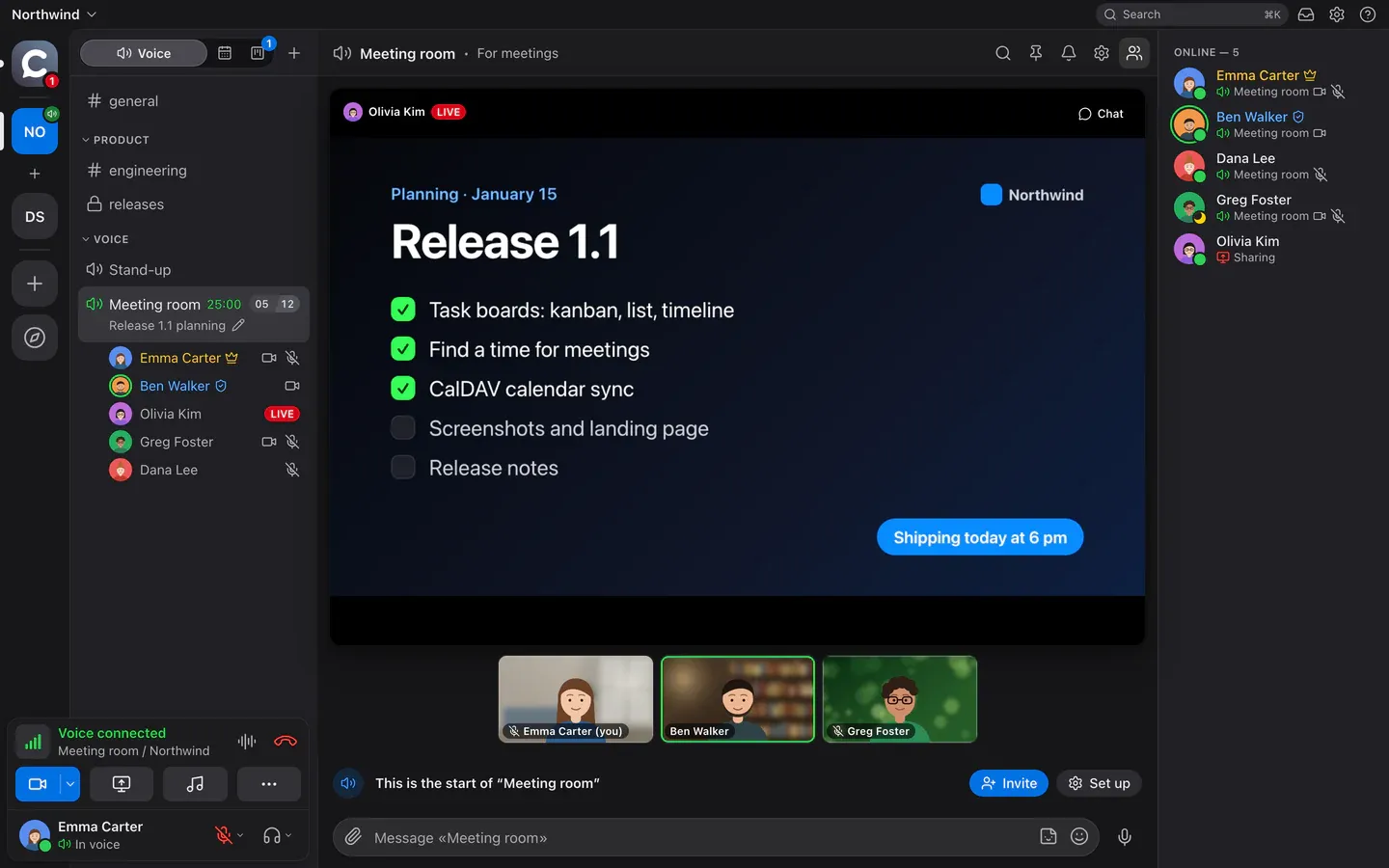
Voice and video
- Voice rooms: one click and you’re in the conversation
- Noise and echo suppression (RNNoise, AEC3), push-to-talk on any key
- Screen sharing in AV1 or H.264, with a pointer and drawing on top
- Meeting recordings with a transcript and summary in the chat
- Musician mode: sound without processingTeam
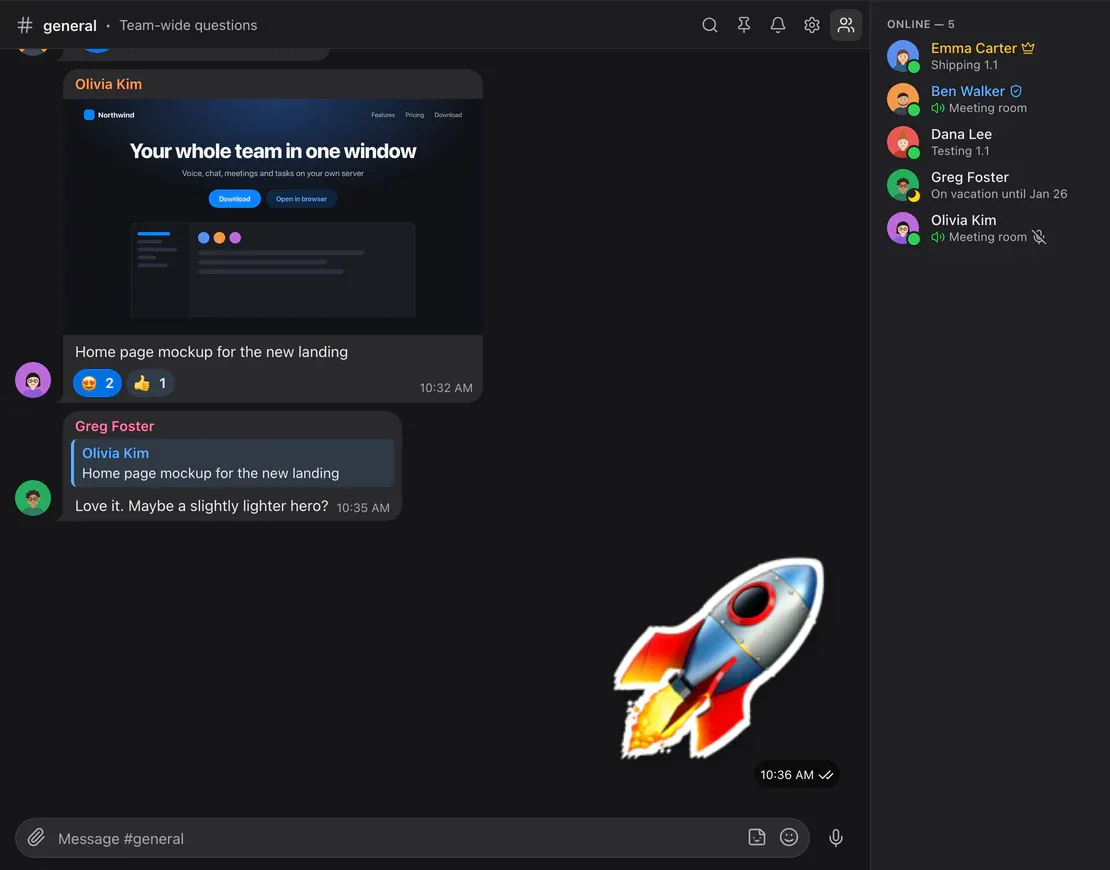
Chat
- Replies, reactions, forwarding to several chats at once
- Voice messages, files with previews, pins
- A built-in sticker pack on every plan
- Workspace search, mentions, quick switcher on ⌘K
- Direct messages, notes shelves and a phone-friendly web app
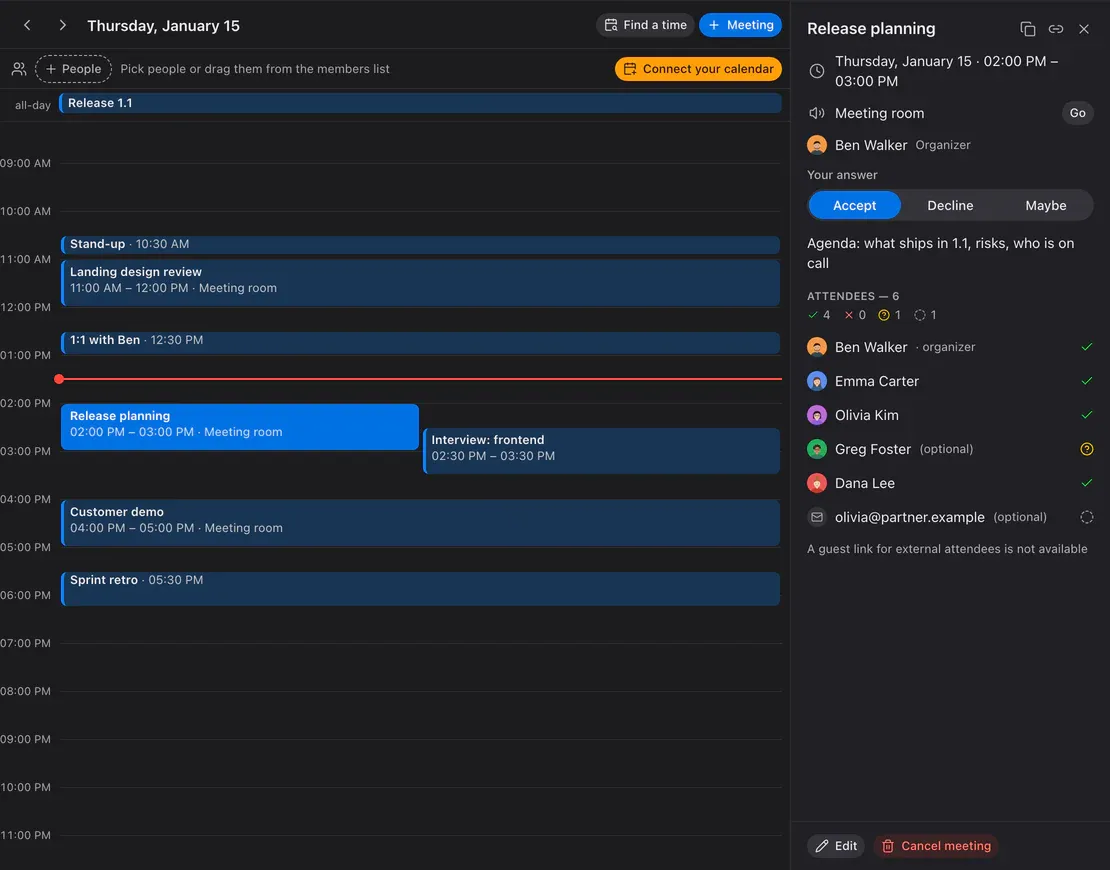
Meetings and calendar
- A calendar with meeting cards, recurrence and reminders
- Email invitations with invite.ics for Apple, Google, Outlook
- Find a time across colleagues’ busy slots
- Temporary rooms and guest links without sign-up
- CalDAV sync: Yandex, iCloud, NextcloudTeam
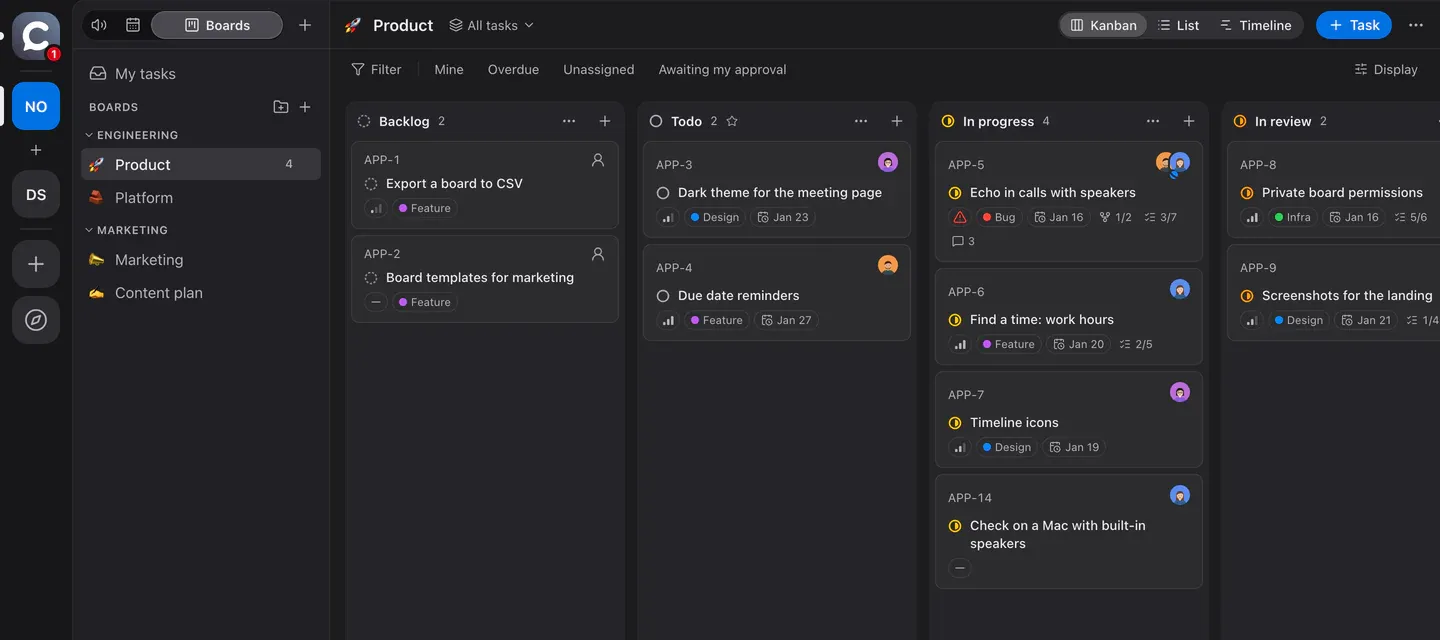
Task boards
- Kanban, list and timeline with milestones
- Statuses, priorities, labels, subtasks and relations
- A task from any message; the link unfolds into a card in chat
- Approvals: a task can’t move on without the needed sign-offs
- Checklists inside tasksTeam
- Board webhook with signed eventsBusiness
Bots and integrations
- Bots are members with a token: chat, boards, calendar, voice
- Events over WebSocket or a webhook with an HMAC signature
- A TypeScript SDK, examples in Node and Python
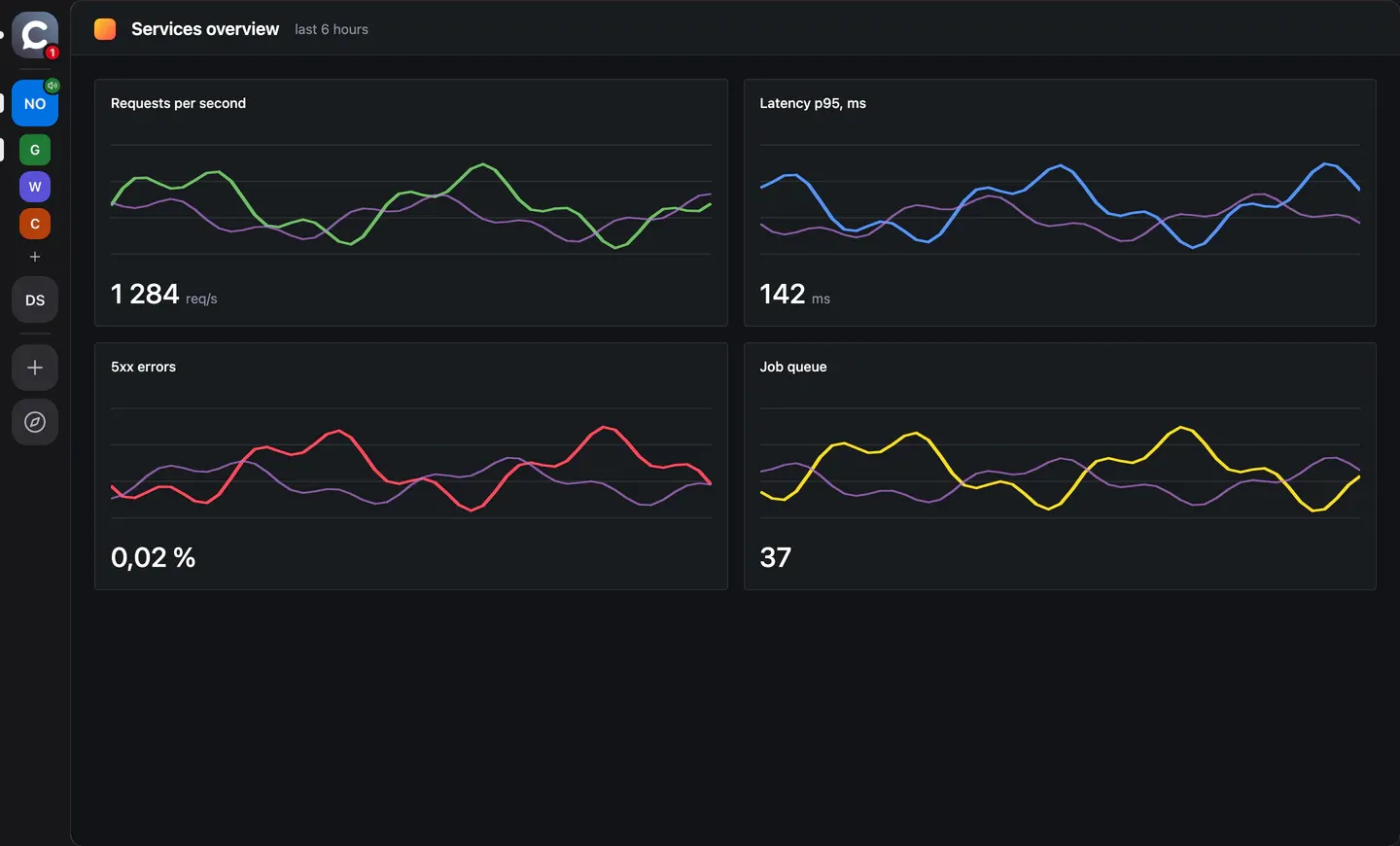
- Workspace web apps (Grafana, wiki, CRM) right inside Calab
- Phone calls through your own SIP providerBusiness
For companies and security
- Your own server: one docker compose, your data stays with you
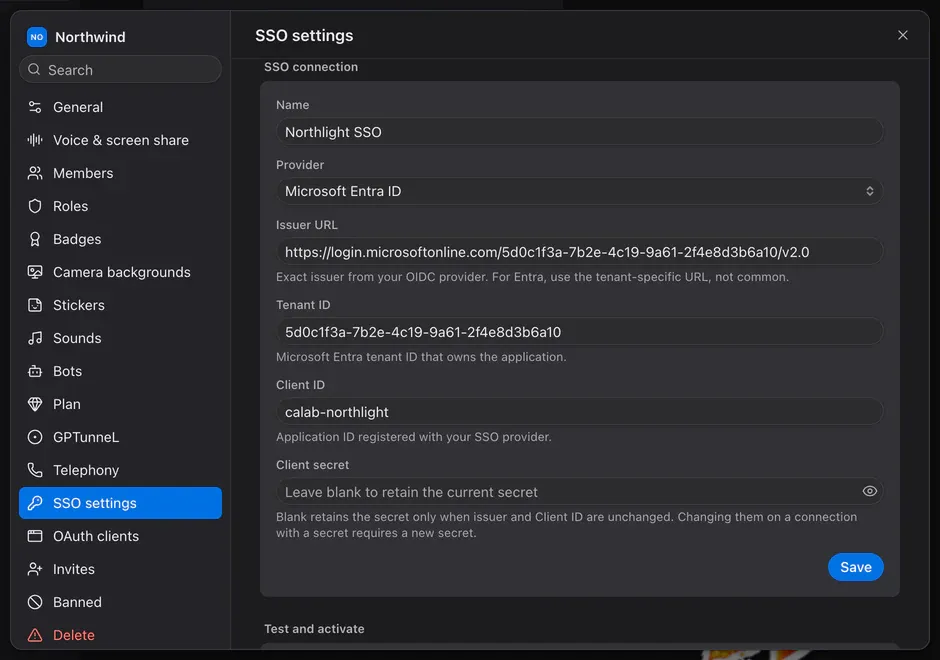
- Corporate sign-in (SSO, OpenID Connect)Business
- Active Directory employee directory (LDAPS)Business
- Sign in with Calab: OAuth clients of your workspaceBusiness
- Roles and permissions, DTLS-SRTP, HTTPS, source available (BSL 1.1)
Team — the Team plan and above. Business — Business and Enterprise (your own server). Everything else is on every plan.
How it looks
Four screens where a team spends its day.
Voice: step in and talk
Rooms are always open. See who is speaking; cameras and screens sit right there, with no separate links or apps.
Learn moreChat like Telegram
Replies, reactions, stickers, voice messages and files. Every room has its own chat, and every message a short path to a task.
Learn moreCalendar and find a time
Meetings with a room link and an email invitation. “Find a time” shows the free windows colleagues share.
Learn more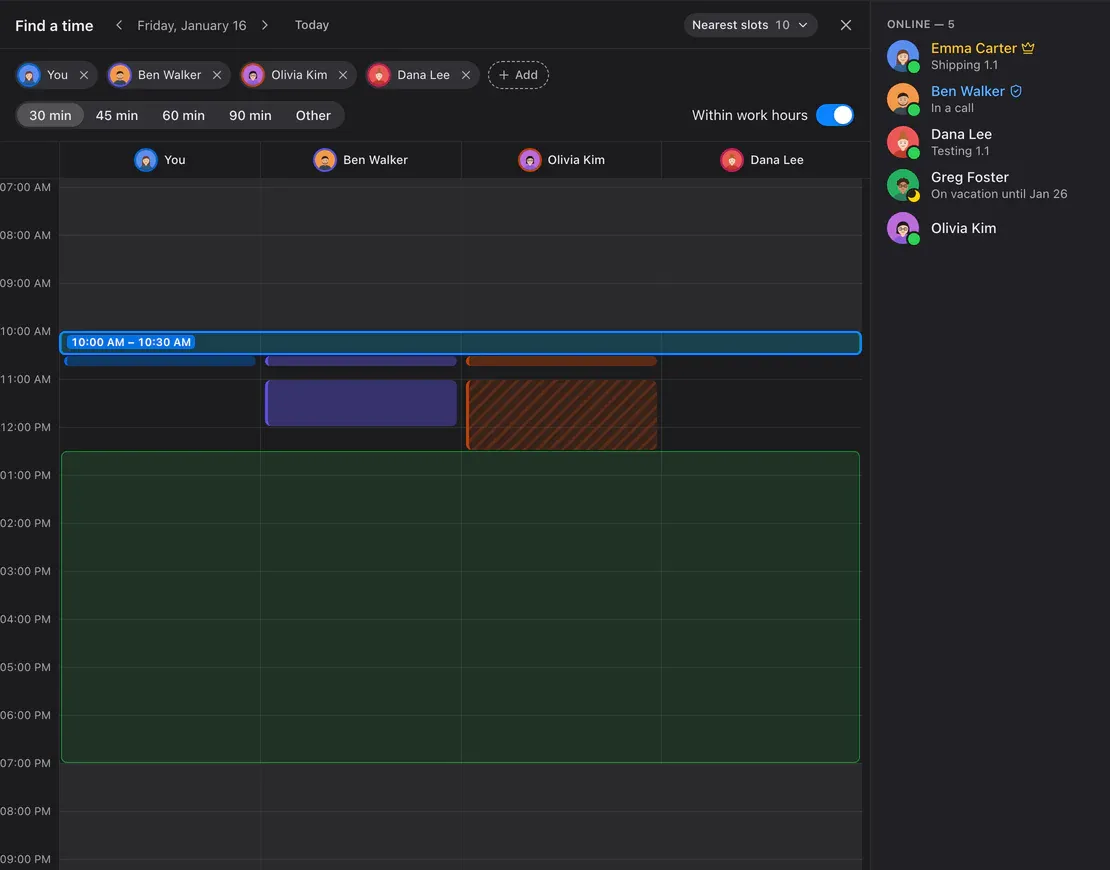
Task boards
Kanban, list and timeline. Talk it through in chat and the task is already on the board, with statuses and approvals in place.
Learn moreOne team. Many ways to work.
Calab fits the way you work together.
Your team. Your rules.
Your data, access and integrations. Under your control.
 You’re in control
Your server
You choose where your data lives.
EnterpriseOne sign-in
SSO and your Active Directory employee directory.
Business · EnterpriseYour applications
Sign in with Calab. OAuth clients in your workspace.
Business · EnterpriseYour rules
Roles and permissions for rooms and actions.
Pricing
Free, Team, Business and Enterprise
Start for free. Need more? Team or Business in the cloud, or Enterprise: Calab on your own server.

Start here
Free
Free
For small teams: up to 5 people per room
What’s included
- Voice room
- up to 5
- Workspace members
- up to 50
- Audio quality
- up to Normal
- Screen sharing and camera
- 720p, 15 fps
- Simultaneous screen shares
- 1
- Simultaneous cameras
- 3
- Files
- 5 GB
- Bots
- 1
- Sticker packs (+ built-in pack for everyone)
- 1
- Task boards
- 3
- Calendar
- yes
- CalDAV
- no
- Musician mode
- no
- Task checklists
- no
- Task approvals
- yes
- Embedded web apps
- yes
- Telephony (SIP)
- no
- Board webhook
- no
- SSO / Active Directory (LDAPS) / Sign in with Calab
- no
- White-label
- no
- Your own server (on-prem)
- no
- Support
- no
- Price
- free
Team
On request
Up to 15 people per room, 100 members, 300 GB of files
What’s included
- Voice room
- up to 15
- Workspace members
- up to 100
- Audio quality
- any
- Screen sharing and camera
- unlimited
- Simultaneous screen shares
- 2
- Simultaneous cameras
- 10
- Files
- 300 GB
- Bots
- 5
- Sticker packs (+ built-in pack for everyone)
- unlimited
- Task boards
- 30
- Calendar
- yes
- CalDAV
- yes
- Musician mode
- yes
- Task checklists
- yes
- Task approvals
- yes
- Embedded web apps
- yes
- Telephony (SIP)
- no
- Board webhook
- no
- SSO / Active Directory (LDAPS) / Sign in with Calab
- no
- White-label
- no
- Your own server (on-prem)
- no
- Support
- yes
- Price
- on request
Business
On request
Up to 50 people per room, 500 members, 1 TB of files and priority support
What’s included
- Voice room
- up to 50
- Workspace members
- up to 500
- Audio quality
- any
- Screen sharing and camera
- unlimited
- Simultaneous screen shares
- 5
- Simultaneous cameras
- 25
- Files
- 1 TB
- Bots
- 20
- Sticker packs (+ built-in pack for everyone)
- unlimited
- Task boards
- 50
- Calendar
- yes
- CalDAV
- yes
- Musician mode
- yes
- Task checklists
- yes
- Task approvals
- yes
- Embedded web apps
- yes
- Telephony (SIP)
- yes
- Board webhook
- yes
- SSO / Active Directory (LDAPS) / Sign in with Calab
- yes
- White-label
- no
- Your own server (on-prem)
- no
- Support
- priority
- Price
- on request
Enterprise
Your server
On-prem without limits, BSL 1.1 or commercial licence
What’s included
- Voice room
- unlimited
- Workspace members
- unlimited
- Audio quality
- any
- Screen sharing and camera
- unlimited
- Simultaneous screen shares
- unlimited
- Simultaneous cameras
- unlimited
- Files
- unlimited
- Bots
- unlimited
- Sticker packs (+ built-in pack for everyone)
- unlimited
- Task boards
- unlimited
- Calendar
- yes
- CalDAV
- yes
- Musician mode
- yes
- Task checklists
- yes
- Task approvals
- yes
- Embedded web apps
- yes
- Telephony (SIP)
- yes
- Board webhook
- yes
- SSO / Active Directory (LDAPS) / Sign in with Calab
- yes
- White-label
- yes
- Your own server (on-prem)
- yes
- Support
- no
- Price
- BSL 1.1; commercial on request
Enterprise (your own server): free for non-commercial use, with “Powered by GPTunneL” in the interface; commercial use under a GPTunneL licence. Every Calab version moves to the Apache License 2.0 four years after release. Licence text
Apps for every platform

macOS
Apple Silicon · Intel
DMG, macOS 12 or later
Signed with a Developer ID and notarized by Apple, so it opens without warnings.

Windows
x64
.exe installer, Windows 10 and 11
The build isn’t signed yet: on first launch SmartScreen shows “Unknown publisher” → “More info” → “Run anyway”.

Linux
AppImage · deb
x64
Make the AppImage executable before running it:
chmod +x.
Or open the web app in Chrome, Edge, Safari or Firefox.
FAQ
The short version

What does my own server need?
Enterprise: a Linux host with Docker, a public IP and a domain. Open ports: 80 and 443 (TCP and UDP), 7881/TCP, 7882/UDP. Roughly 4 vCPU and 8 GB of RAM for a team of up to 30; it depends on how many screen shares run at once.
How do I set up SSO and Active Directory?
Available on Business and Enterprise. In workspace settings open SSO (an OpenID Connect provider and an LDAPS directory) or OAuth clients to sign in to your own apps with Calab. Accounts are linked explicitly, never by matching email. Directory sync does not create users.
What about meeting recordings, and where does the audio go?
The workspace is connected to GPTunneL once with a code in settings. Any member except guests can start a recording in a voice room; the server records. Afterwards the audio goes to GPTunneL for transcription and a card with the summary and transcript arrives in the room chat; the audio is kept for 30 days. Recording can be disabled in room settings.
Can I call phone numbers?
Yes, telephony (SIP) is included in Business and Enterprise. Calls are billed by your own SIP provider, which an admin connects in workspace settings. The “Place calls” permission is given to nobody by default; destinations can be limited by prefix, and guests cannot call.
How is communication protected?
API and signalling use TLS, voice and video use DTLS-SRTP. Messages and files stay on your server only. There is no end-to-end encryption yet: media passes through your own media server.
Does it work behind a VPN and over port 443?
Yes. If UDP is blocked, the client falls back to TCP and then to TURN/TLS on port 443, which looks like ordinary HTTPS to the network.
How do Team, Business and Enterprise differ?
Team and Business are cloud plans with limits. Team: 15 people per room, 100 members, 300 GB, CalDAV and musician mode. Business: 50 per room, 500 members, 1 TB, SSO / AD, SIP, board webhook and priority support. Enterprise is Calab on your own server with no limits and white-label, under BSL 1.1 or a commercial licence.
How do I buy?
Write to it@gptunnel.ai with a few words about your company and use case. We usually enable Team and Business within a day; for Enterprise we will send licence terms.